Accessibility testing
The agent checks your pages against an accessibility standard: contrast, labels, keyboard use and screen readers. Each finding comes with its clause, where it is, and how to fix it.
1. Check a page
Section titled “1. Check a page”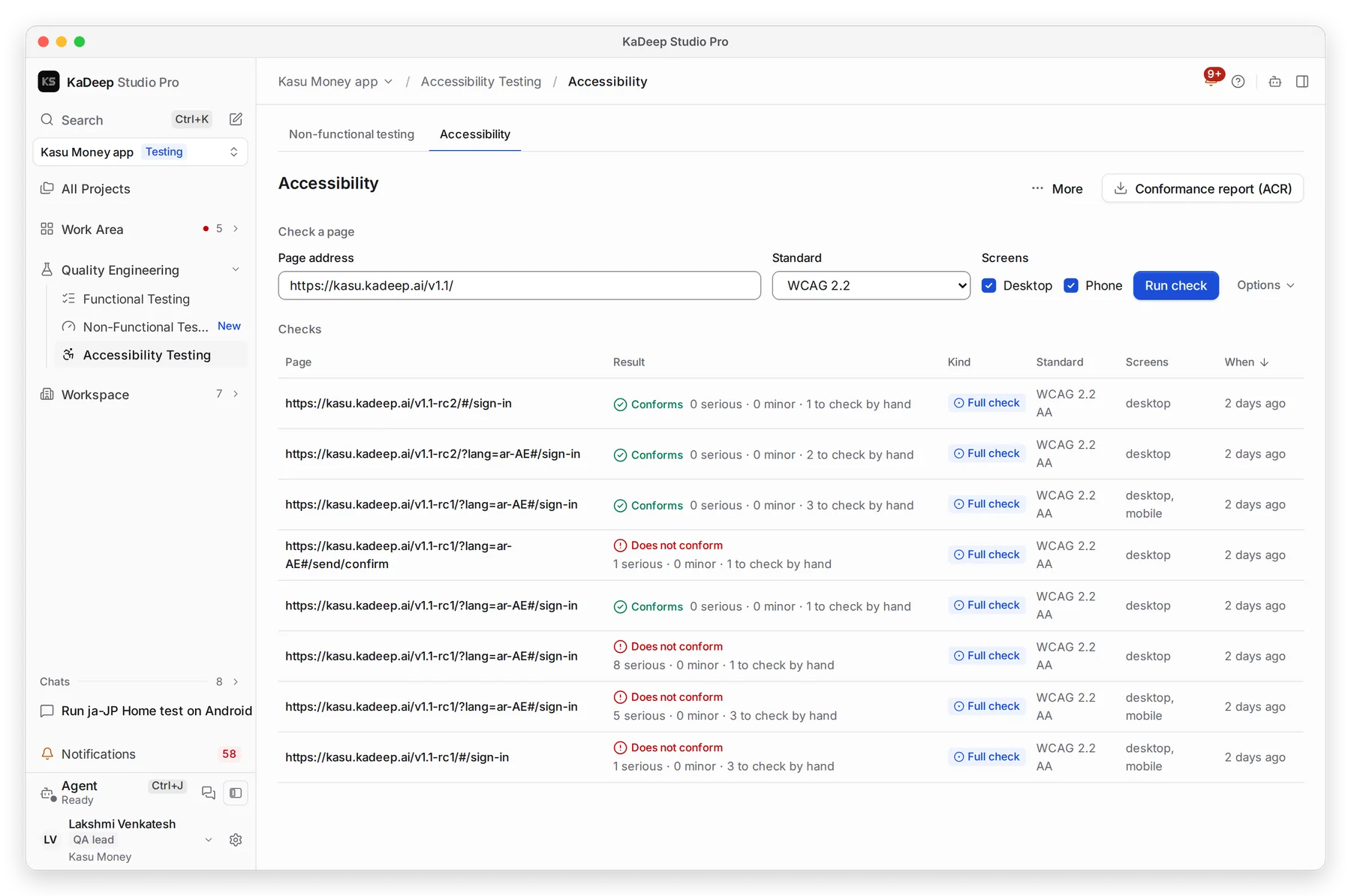
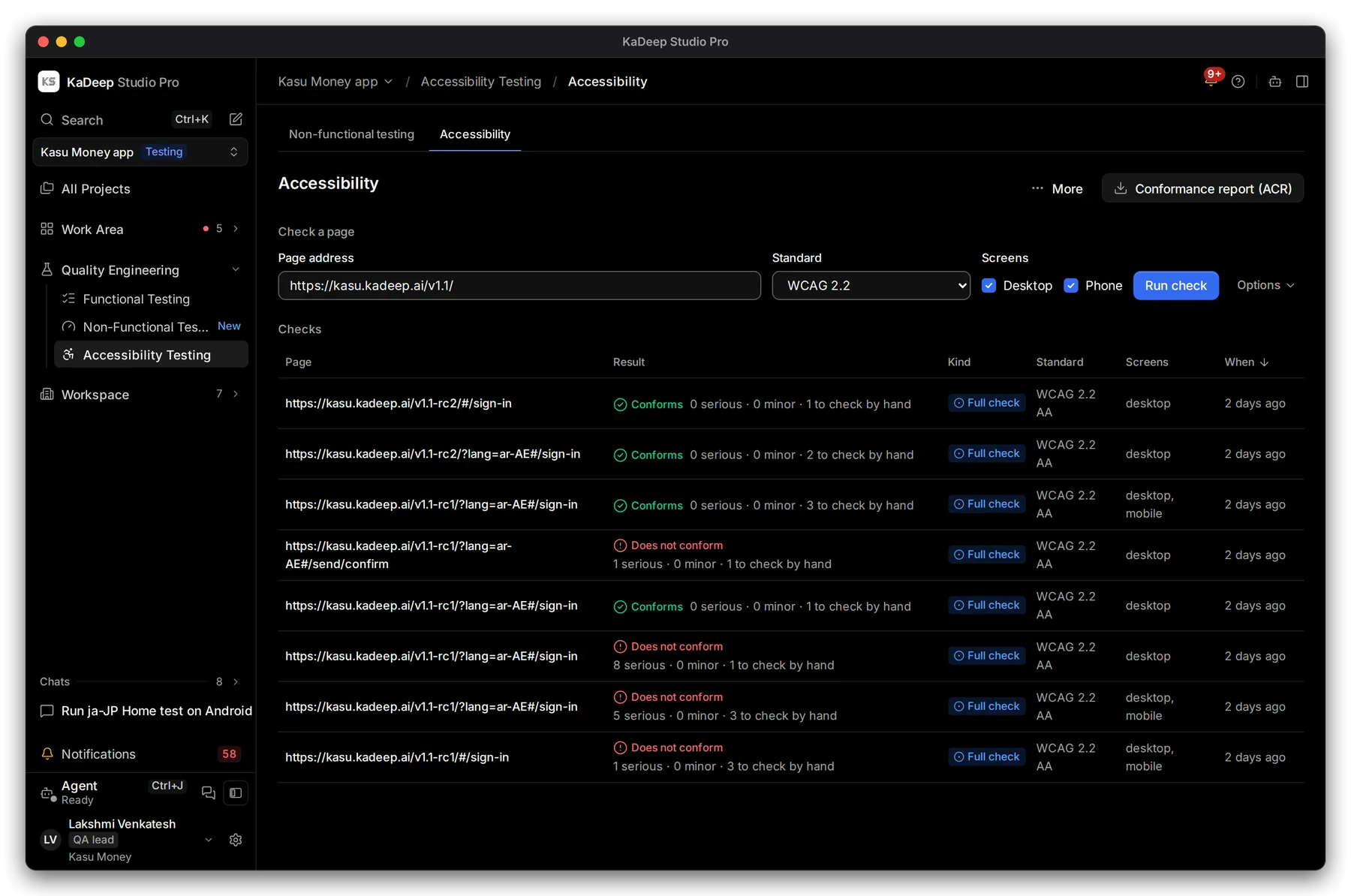
Manage view
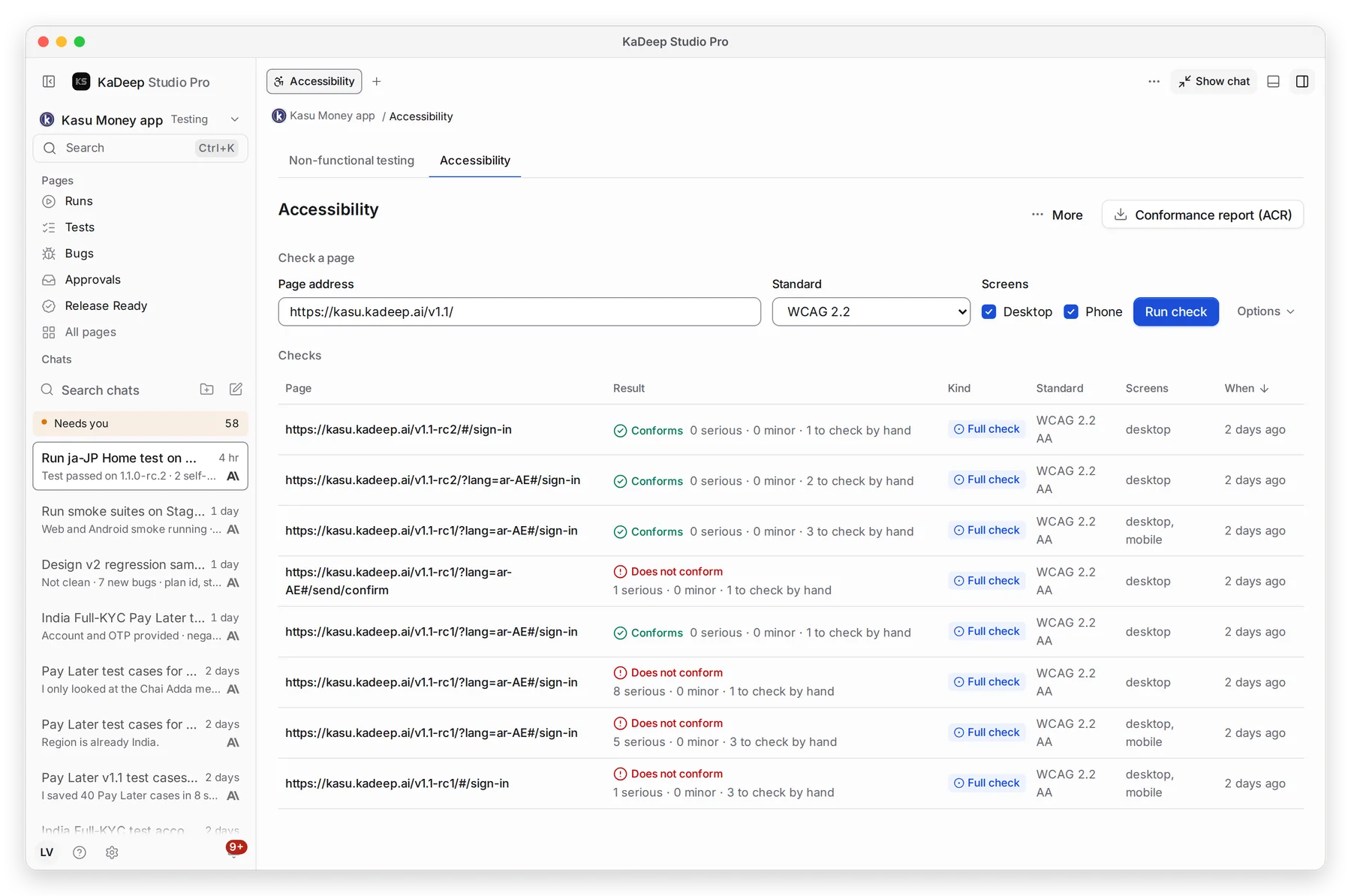
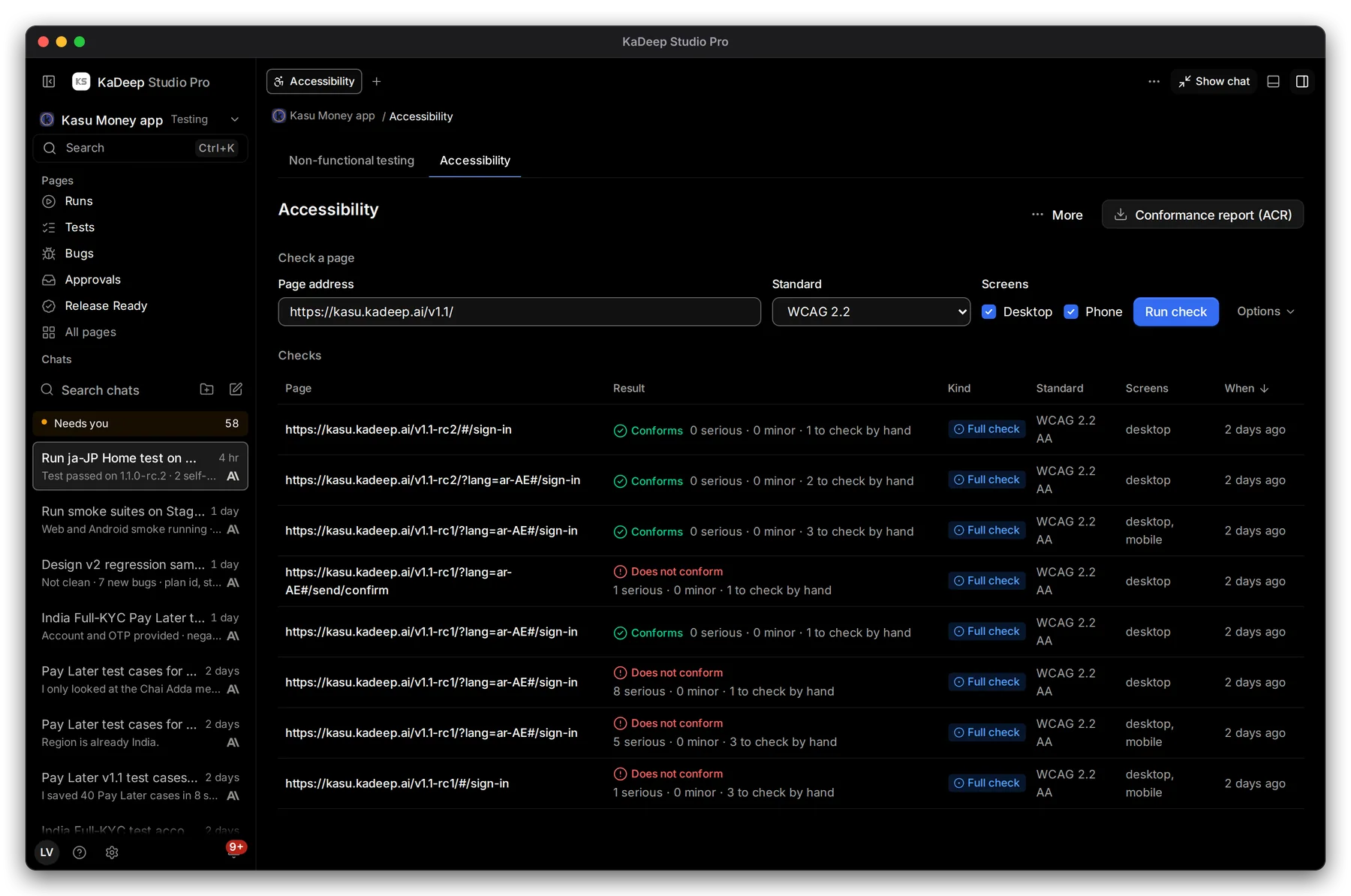
Hands-on view
- Type the 1 Page address.
- Pick the 2 Standard. The default is WCAG 2.2.
- Under Screens, tick Desktop, Phone or both.
- Choose 3 Run check. Options sets the level and other details.
Standards include WCAG 2.0, 2.1 and 2.2, Section 508, EN 301 549, the European Accessibility Act, ADA Title II and III, GIGW 3.0, IS 17802, BITV 2.0, RGAA 4.1, AODA, JIS X 8341-3 and more.
2. Read the results
Section titled “2. Read the results”Each check in the list shows its result. 4 Click a check to open it.
| Result | What it means |
|---|---|
| Conforms | No serious or minor issues found. |
| Does not conform | At least one issue fails the standard. |
| Not evaluated | The page could not be judged automatically. Something needs checking by hand. |
The counts say how many issues are serious, minor, and to check by hand. Some rules, like whether a caption makes sense, need a person.
3. Open a check
Section titled “3. Open a check”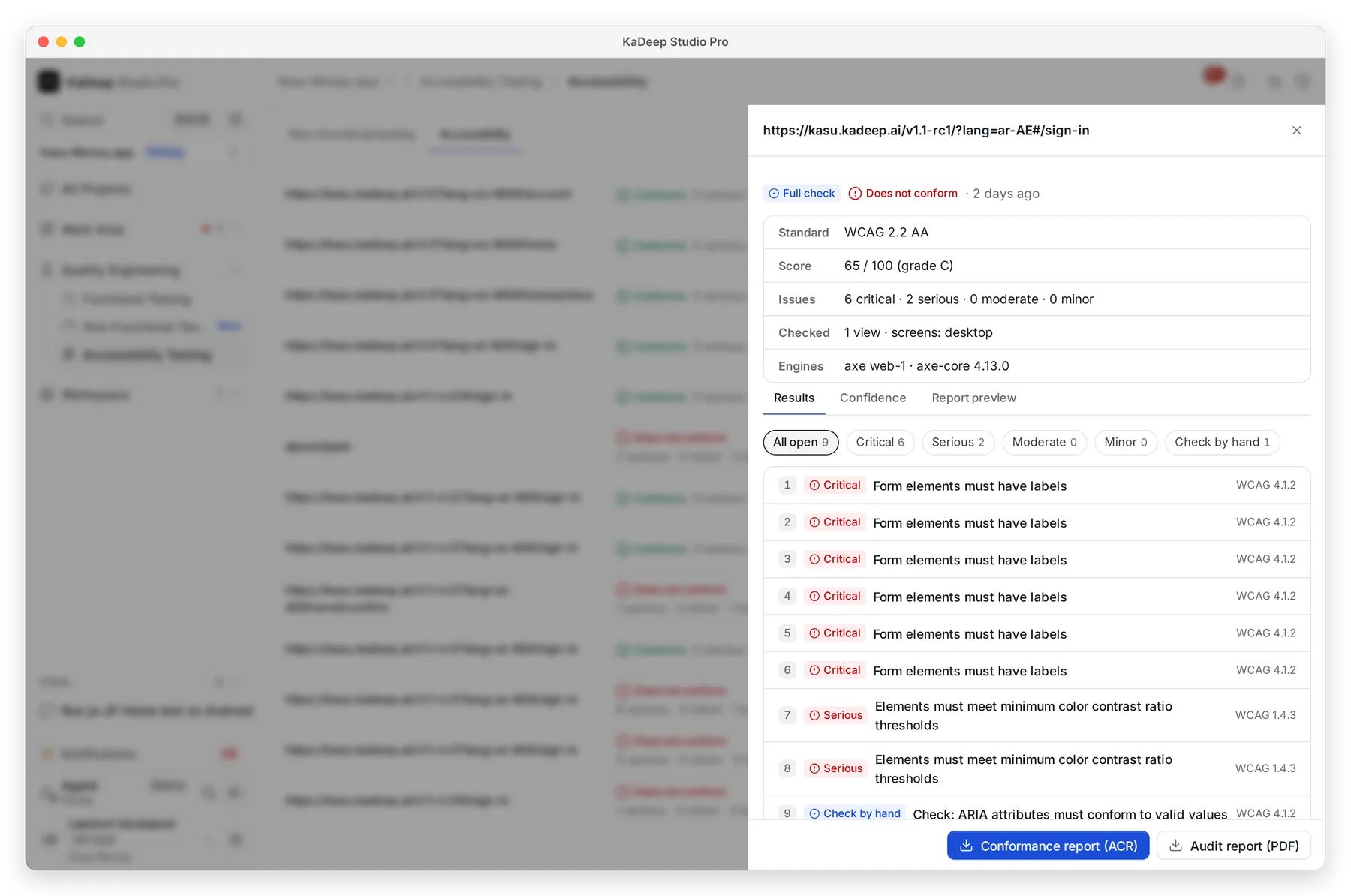
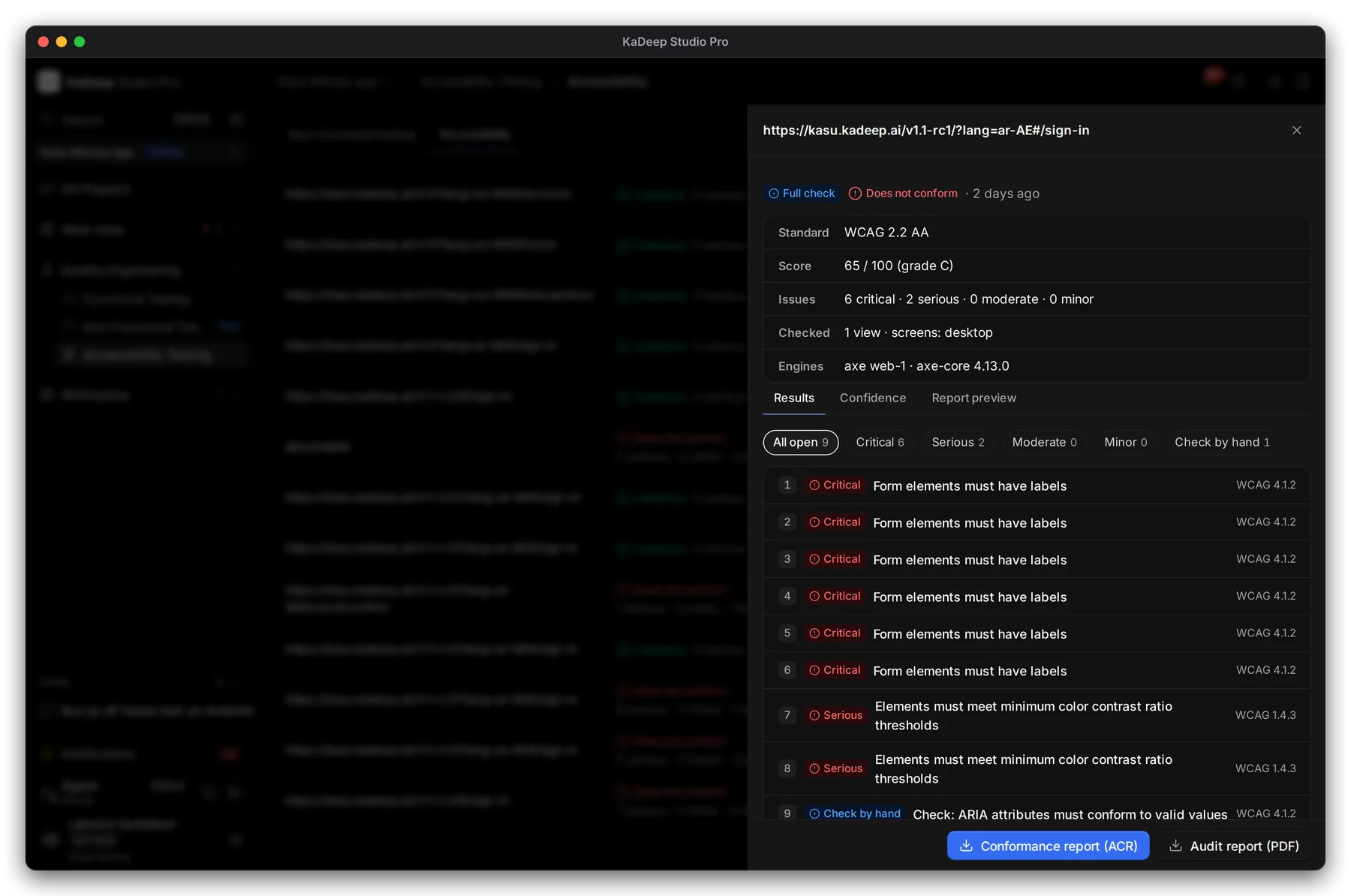
Manage view
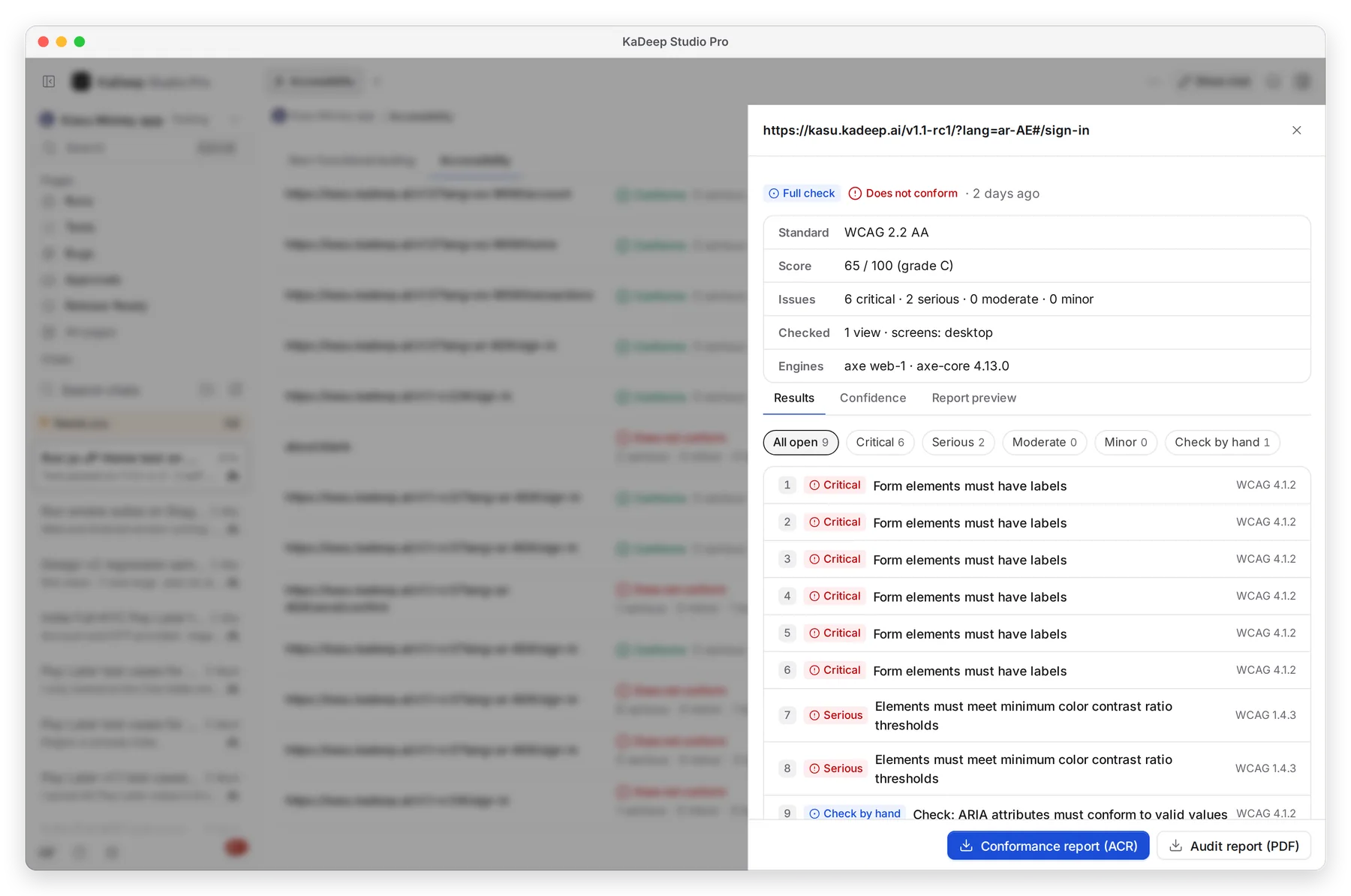
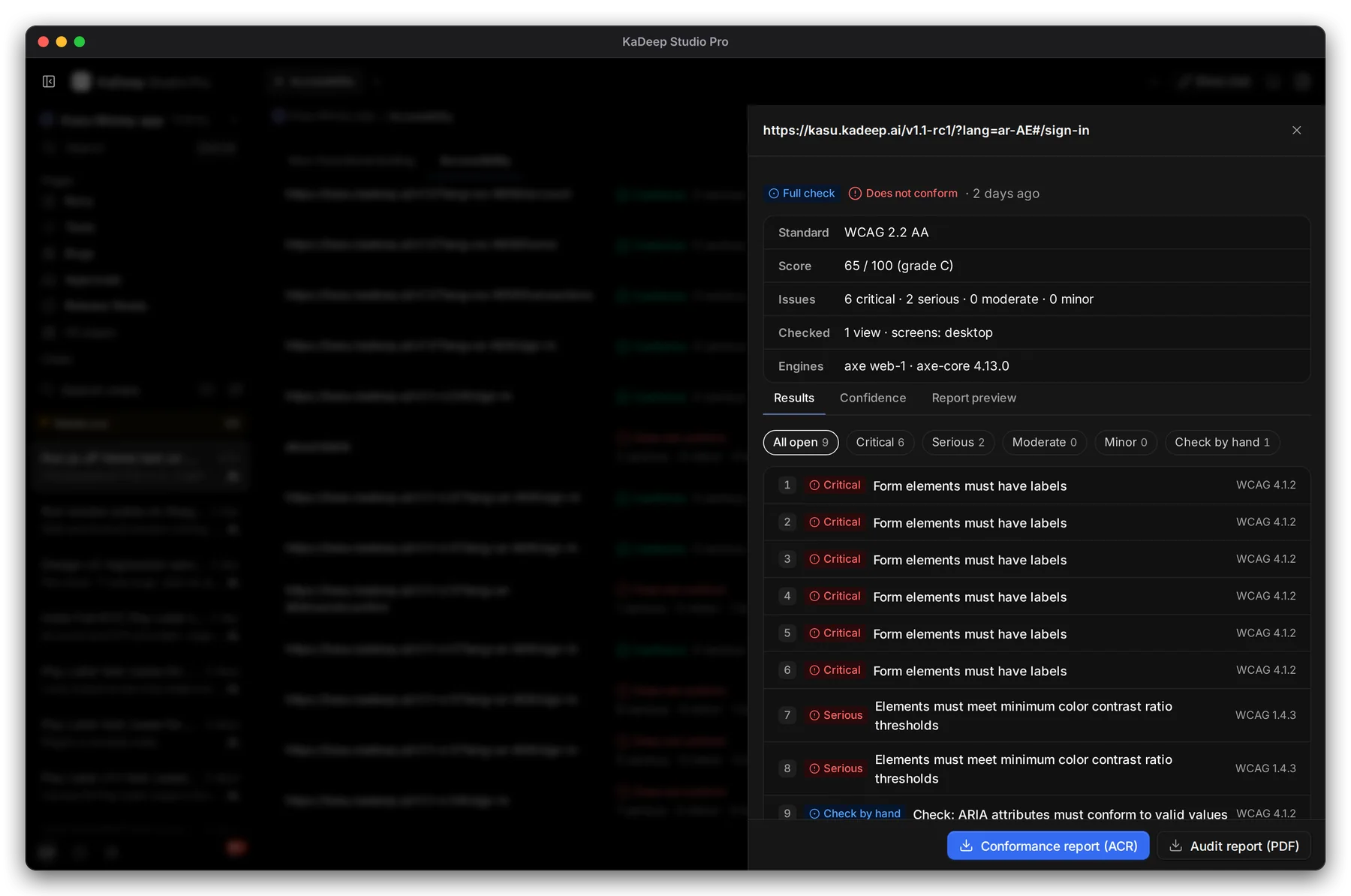
Hands-on view
- 1 Standard, Score out of 100 with a grade, and the Issues by severity.
- 2 Results, Confidence (how sure each rule is) and Report preview.
- 3 Each finding, with its WCAG clause. Open it to see where it is and how to fix it.
- 4 Conformance report (ACR) and Audit report (PDF).
4. Share a conformance report
Section titled “4. Share a conformance report”On the check’s page, Conformance report (ACR) downloads a VPAT-style report for the latest full check, as a PDF. Send it to customers or auditors who ask for an ACR or VPAT.