Work through your language queue
Your view
My work is your queue: every file and language a teammate or the agent handed to you, with what is left and when it is due.
1. Open My work
Section titled “1. Open My work”When you sign in, Home asks What is my next task? and lists My queue, Due soon and Sent back to me. Choose Next translation, or open the full list:
Open Quality Engineering › Linguistic Testing › My work.
Under Pages, choose My work.
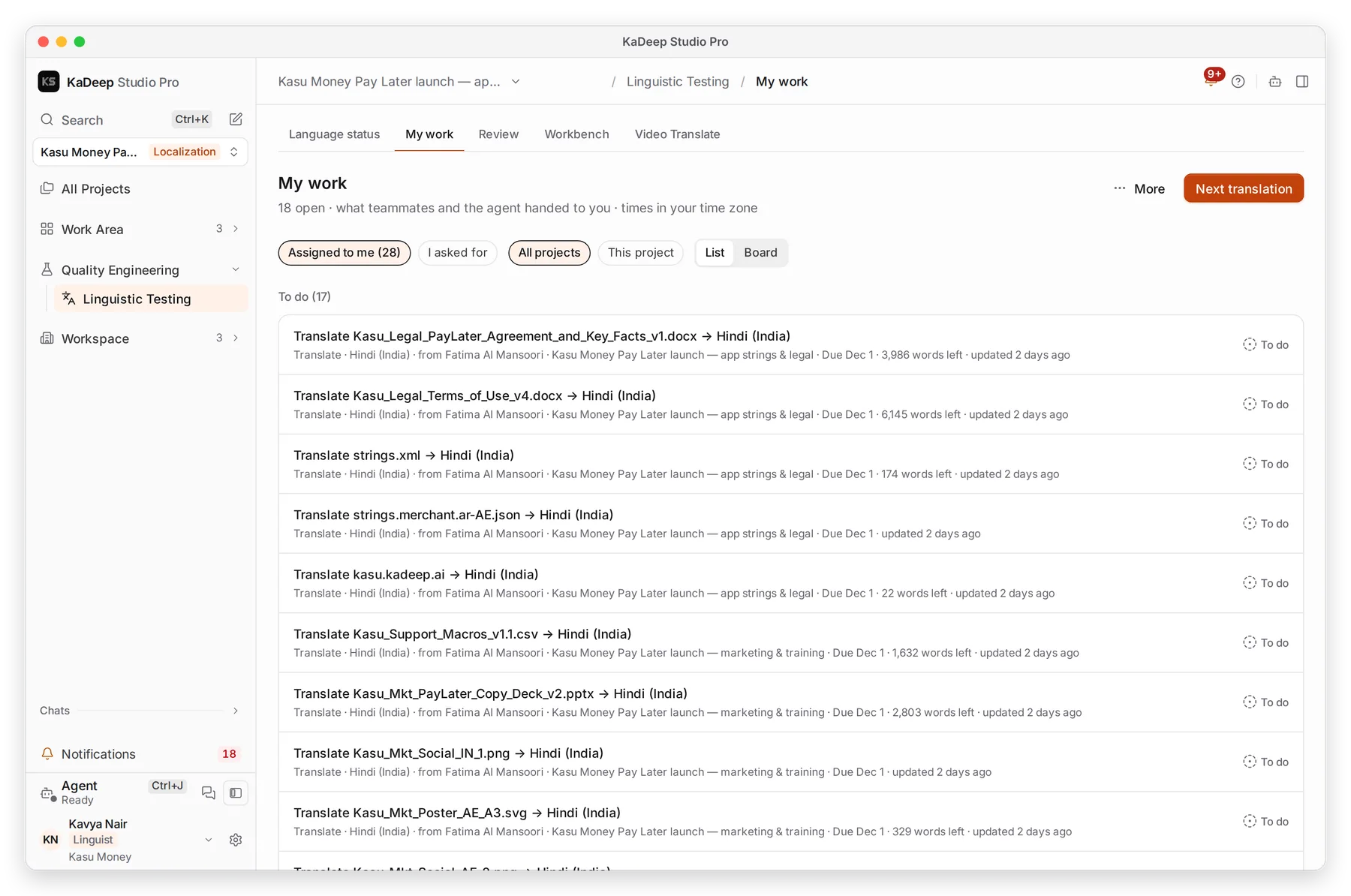
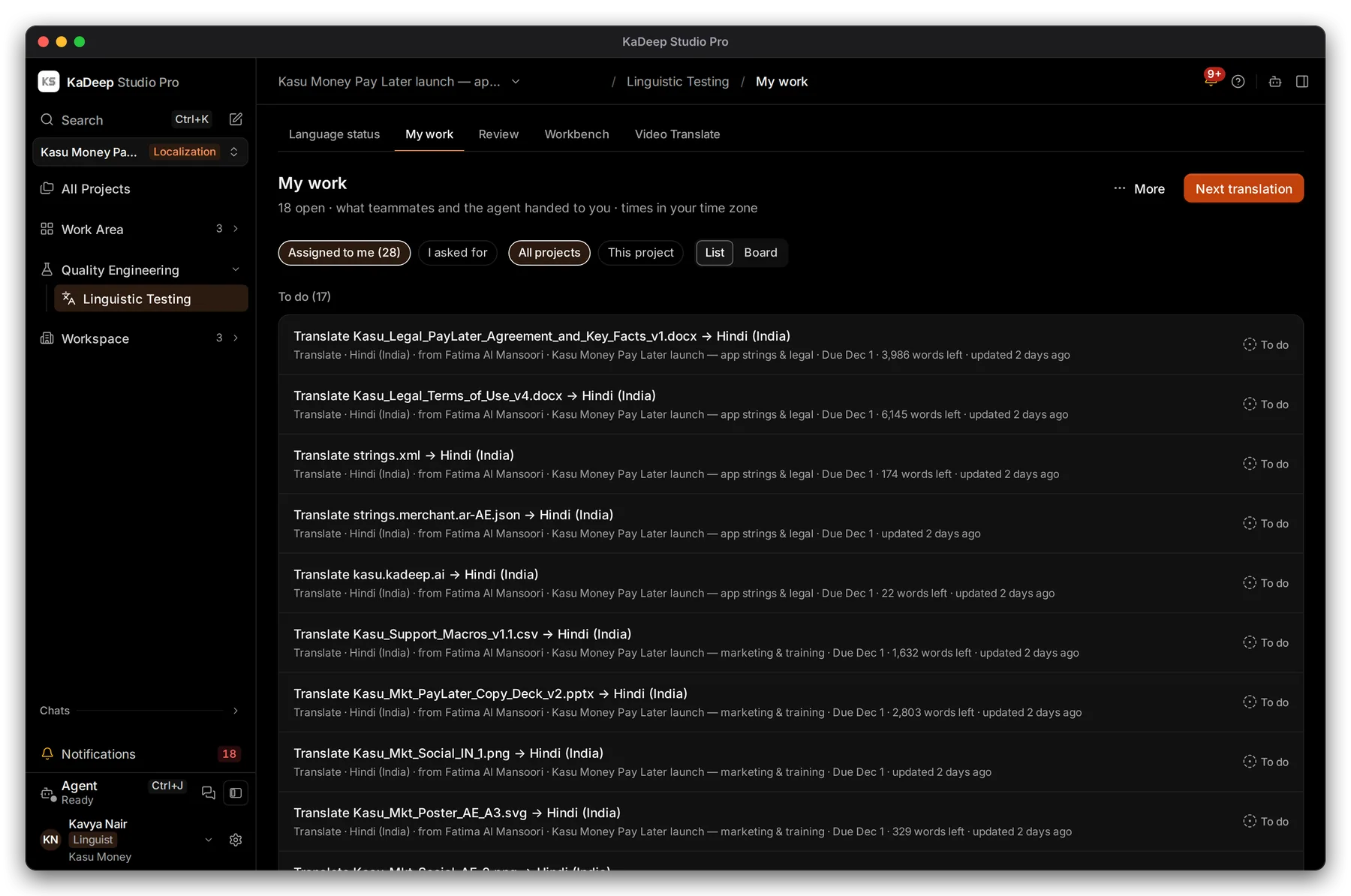
Manage view
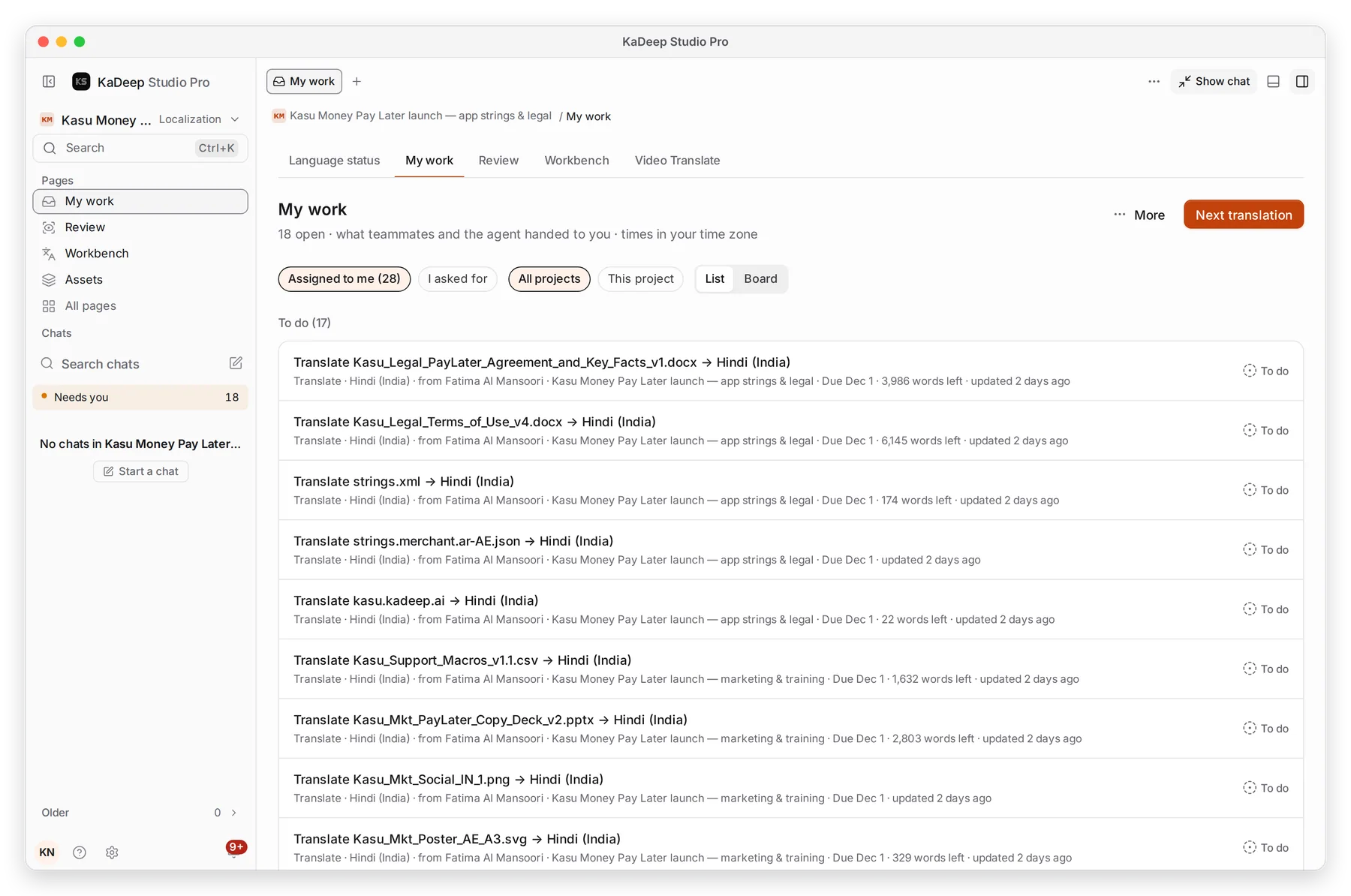
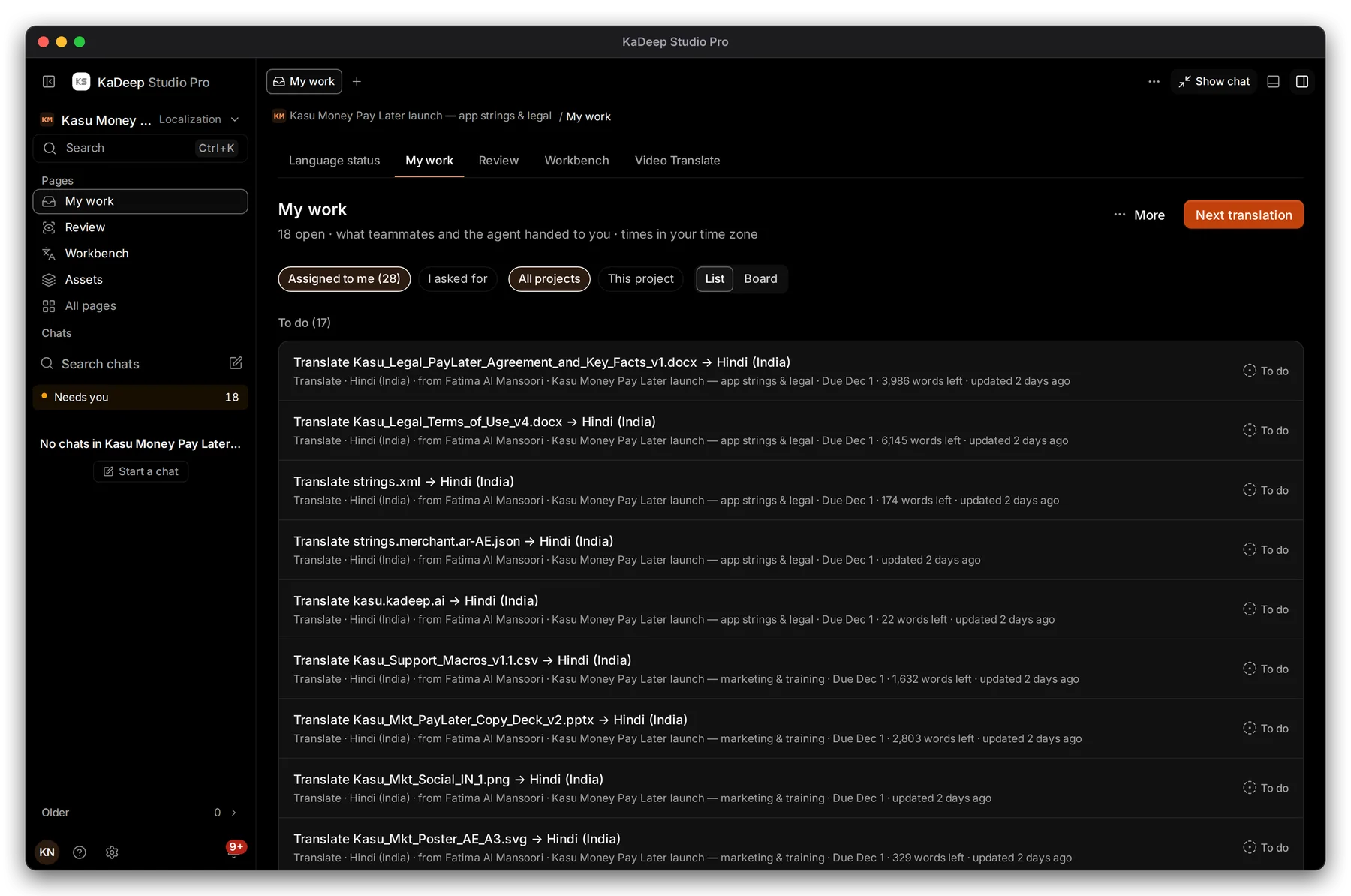
Hands-on view
- 1 Next translation opens the next string in the Workbench.
- 2 Assigned to me or I asked for. Choose All projects or This project.
- 3 List or Board, a column for each stage.
- 4 One task: the file and language, who handed it to you, the project, the due date and the words left.
2. Do a task
Section titled “2. Do a task”- Click a task to open it. Choose Open in Workbench to work on that file and language.
- Translate or review its strings. See Translate in the Workbench.
- Back in the task, add A note for the reviewer if you like, then choose Hand in.
3. Work sent back to you
Section titled “3. Work sent back to you”Sent back to me on Home lists strings a reviewer returned. Each one shows the reviewer’s reason, for example Terminology, major: use the approved term. Do these first.
What’s next
Section titled “What’s next”Translate in the WorkbenchEdit, confirm and hand in.
Review and LQAFor reviewers: accept or send back.
Glossary and translation memoryTerms you must keep consistent.